Support

A shared inbox built for customer support queries.

A shared inbox for customer support queries, with knowledge base, automation, and AI so your team replies faster.

Replaces Zendesk, Intercom, and Help Scout.

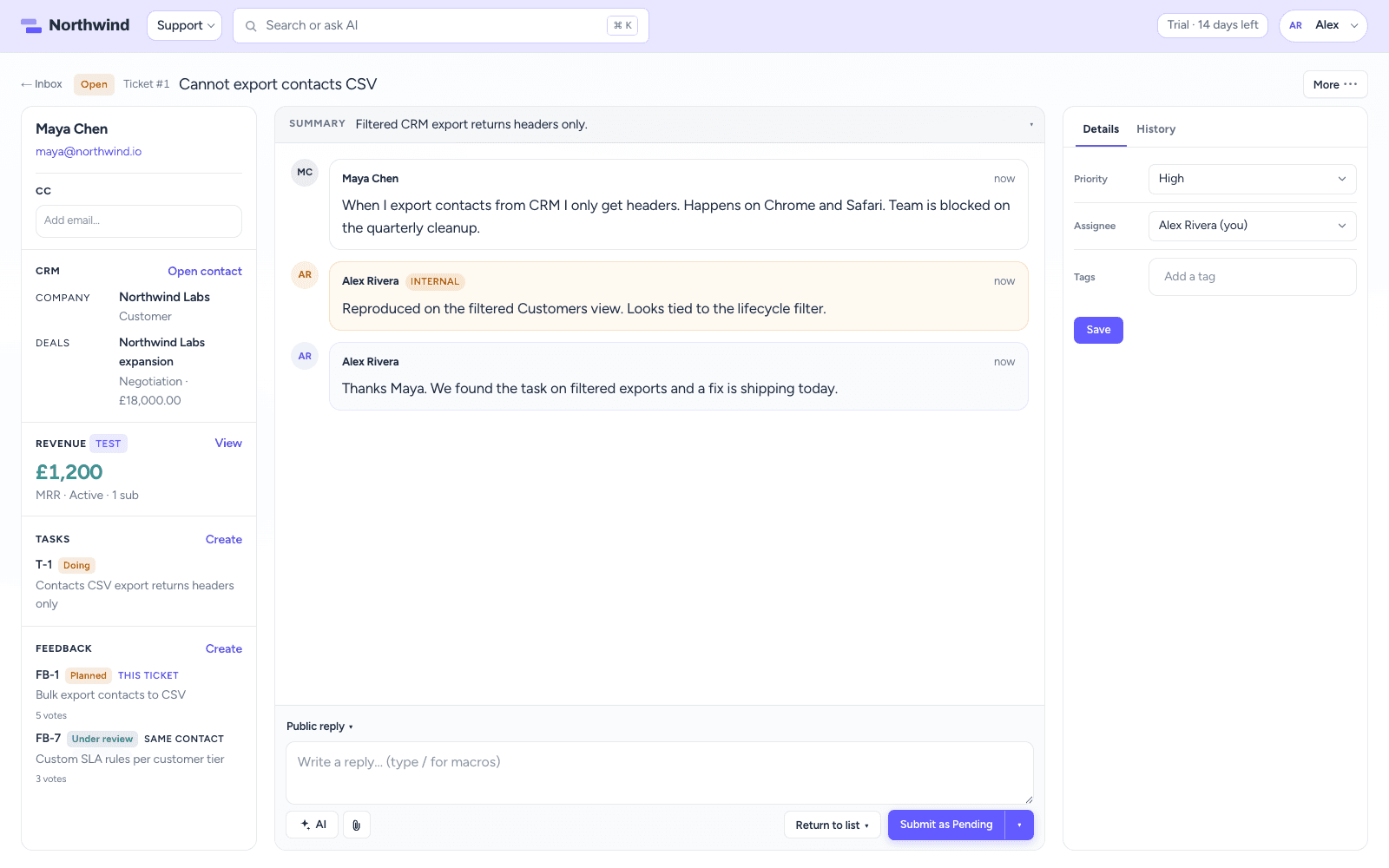
CrowdStack Support ticket with contact rail and reply composer

How it works

What Support does for your team

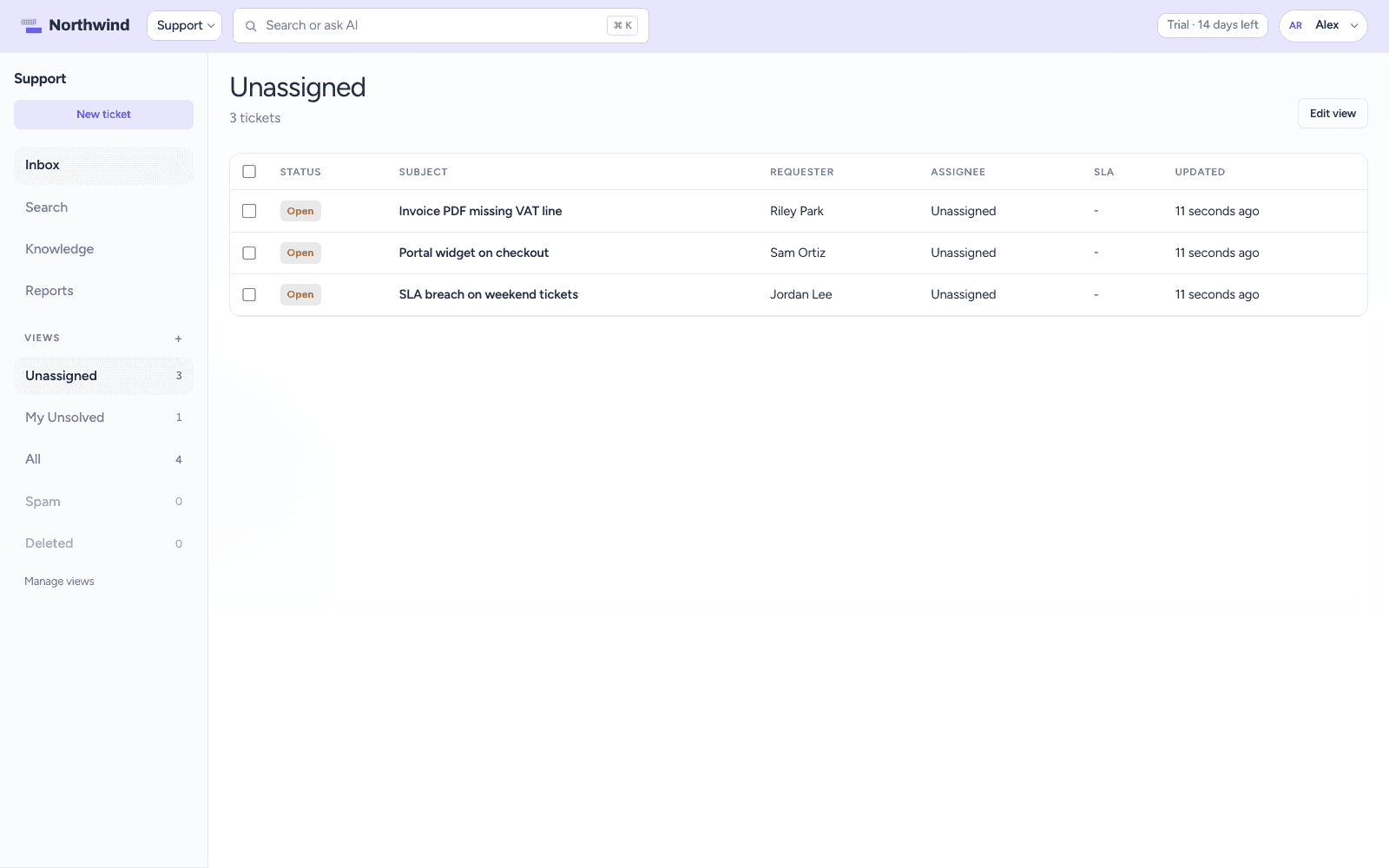
The Support inbox with an Unassigned view, ticket statuses, requesters, and SLA column

Inbox

One inbox for the whole team

Every email to your support addresses lands in one shared inbox with a status, priority, and owner. Numbered tickets are easy to reference, and saved views with their own icons and colors keep each team's queue a click away. Bulk edit the tickets you select, merge duplicates into one conversation, and see when a teammate is already viewing or typing.

  • Public replies and private internal notes
  • SLA targets for first reply and resolution
  • Spam detection with trusted senders
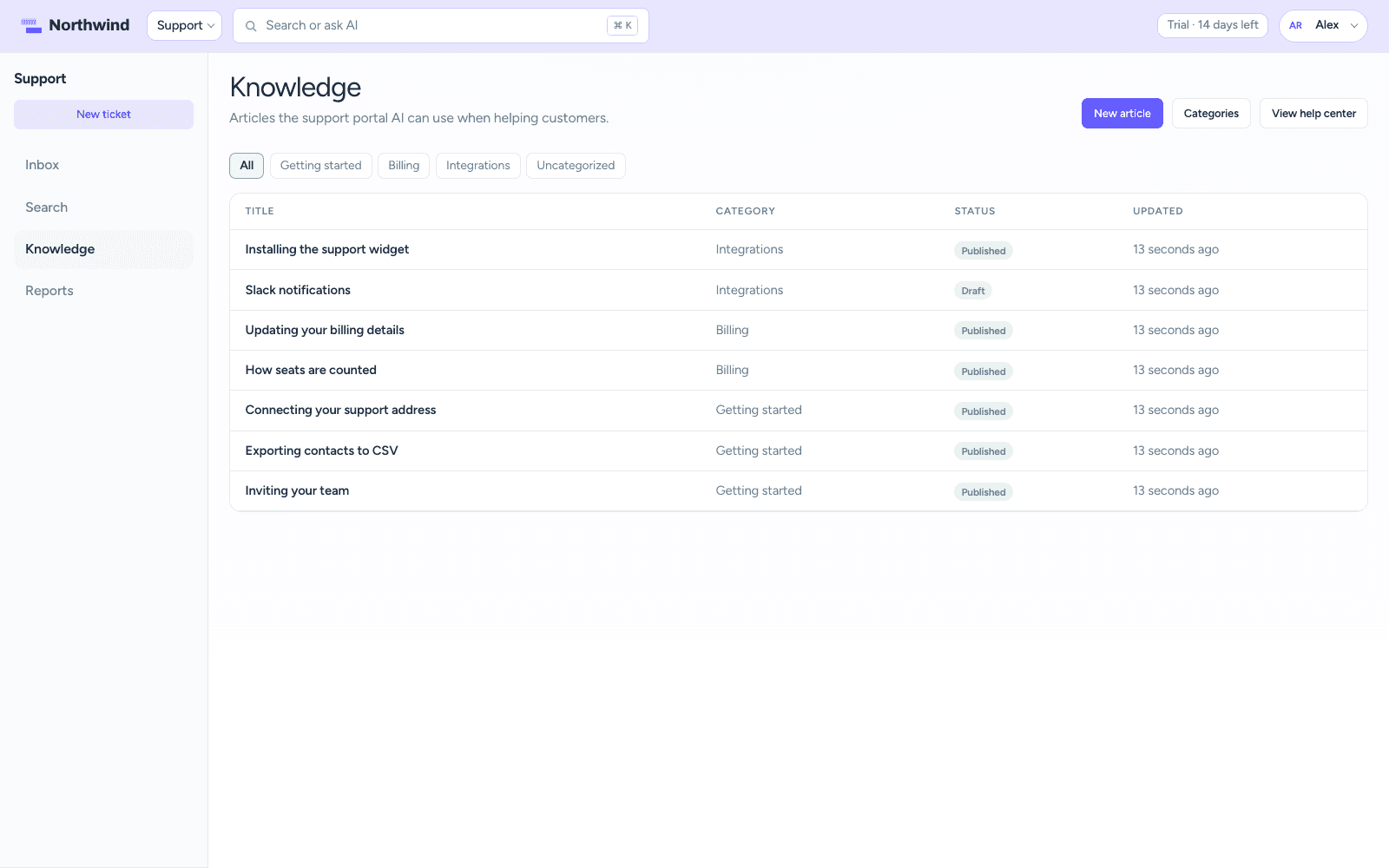
Knowledge base article list with categories and draft or published status

Self-service

Answer the question before it becomes a ticket

Publish a knowledge base, put a support portal and an embeddable widget on your site, and let AI answer from the articles you have written. When it cannot help, the chat turns into a ticket with the conversation attached.

  • Draft and publish articles in categories
  • AI answers grounded in your knowledge base
  • Portal chat escalates to a ticket
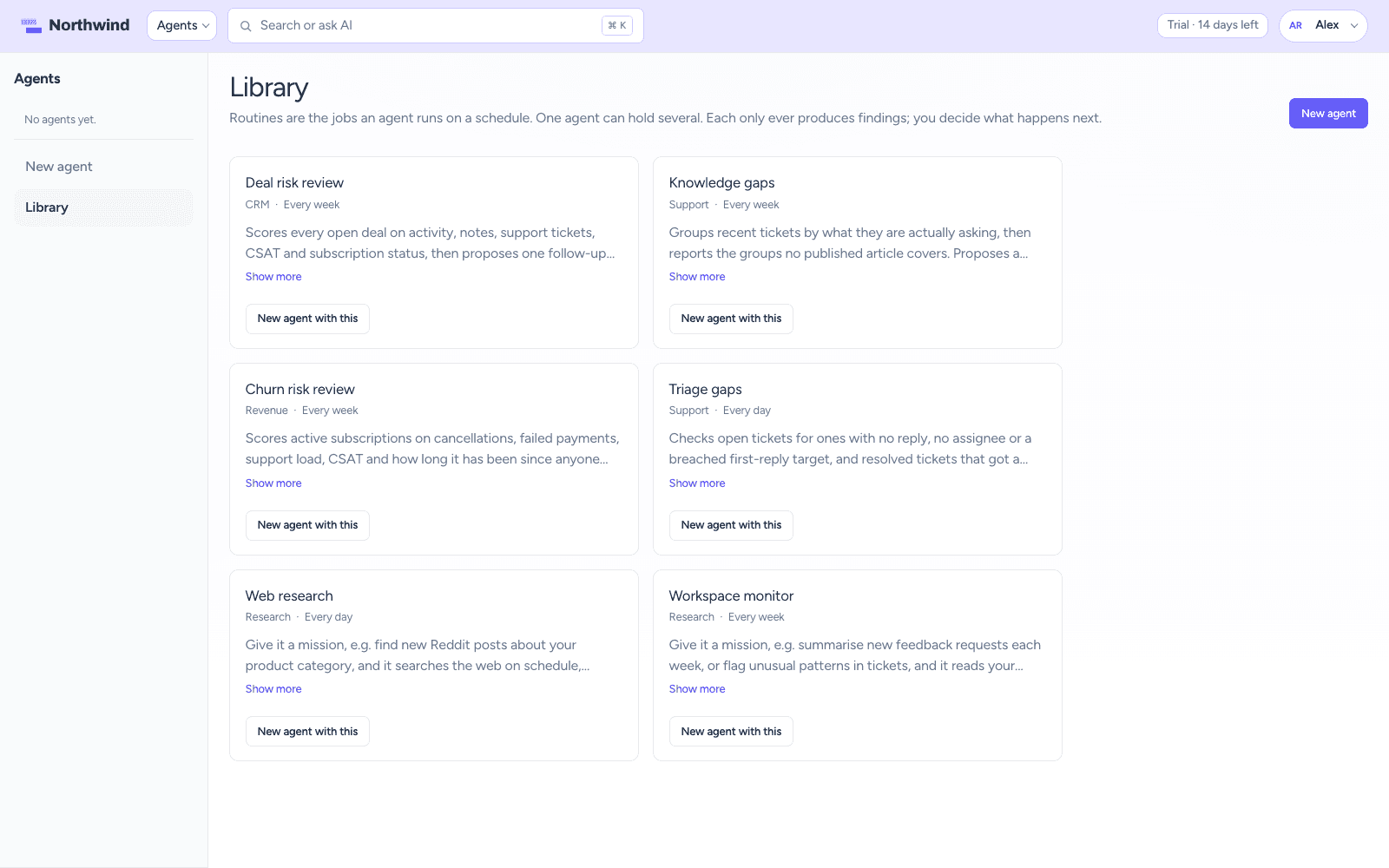
Agent library with Triage gaps, Knowledge gaps, Deal risk review, and Churn risk review

Automation & AI

Let the routine work run itself

Automations fire when tickets are created or updated, or on a schedule. Macros apply a reply and a set of actions in one click. AI drafts a reply the moment a ticket arrives, and a person reviews it before it goes out. Two agents work in the background: one finds unassigned, unanswered, and breached tickets, the other spots recurring questions and drafts the article you are missing.

  • Macros for common replies and actions
  • Customer satisfaction surveys
  • Agents propose, people accept

The full list

Everything included in Support

Inbox & tickets

  • Shared team inbox with status, priority, and assignment
  • Public replies and private internal notes
  • CC people on tickets, with a CRM contact created automatically
  • Merge duplicate tickets into one conversation
  • Spam detection with trusted senders
  • Custom fields, tags, and file attachments
  • Saved views for your team
  • Bulk edit selected tickets
  • Search tickets by subject, contact, or message
  • SLA targets for first reply and resolution
  • See when teammates are viewing or typing
  • Mention teammates in internal notes

Self-service

  • Knowledge base with articles and categories
  • Draft and publish articles
  • Customer self-service portal
  • Embeddable support widget for your site
  • AI answers from your knowledge base
  • Turn portal chat into a ticket

Channels

  • Email in and out
  • Multiple support addresses

Automation & AI

  • Automations when tickets are created, updated, or on a schedule
  • Macros for common replies and actions
  • Customer satisfaction surveys
  • AI replies when a ticket is created
  • Draft with AI, then review before you send

AI agents

  • Triage gaps agent finds unassigned, unanswered, and breached tickets on a schedule
  • Knowledge gaps agent groups tickets by question and drafts the missing article
  • Agents propose tasks and drafts; a person accepts every one
  • Agents run on the credits included in every seat

Reporting & team

  • Reports for volume, status, agents, and satisfaction
  • Teams and roles

One workspace

Works with the rest of CrowdStack

Every product shares the same contacts, so a ticket, deal, task, request, or page can point at the same customer.

Try Support with the full suite.

Six products, one login, one bill. Free for 14 days, no card required.