Docs

Team docs to share knowledge with the whole company.

An internal wiki for your team, where a page can mention the ticket, contact, or deal it is about and link straight back to it.

Replaces Notion, Confluence, and Slab.

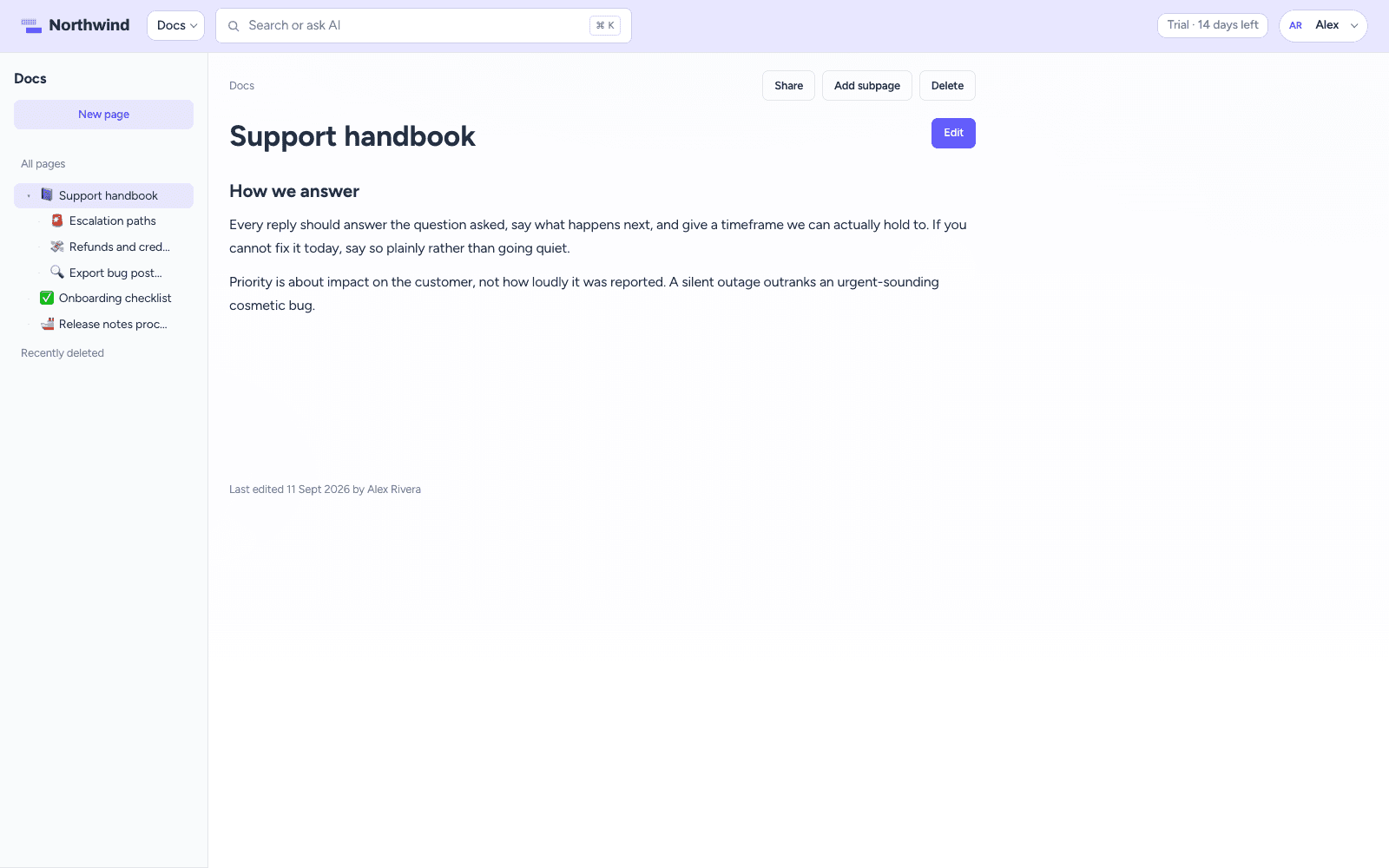
CrowdStack Docs page with nested sidebar and rich text editor

How it works

What Docs does for your team

Writing

An editor that stays out of the way

Headings, lists, quotes, code blocks, and tables with resizable columns. Press / for commands instead of hunting through a toolbar. Pages save as you write and show who edited them last, and when.

  • Slash commands for everything
  • Tables with resizable columns
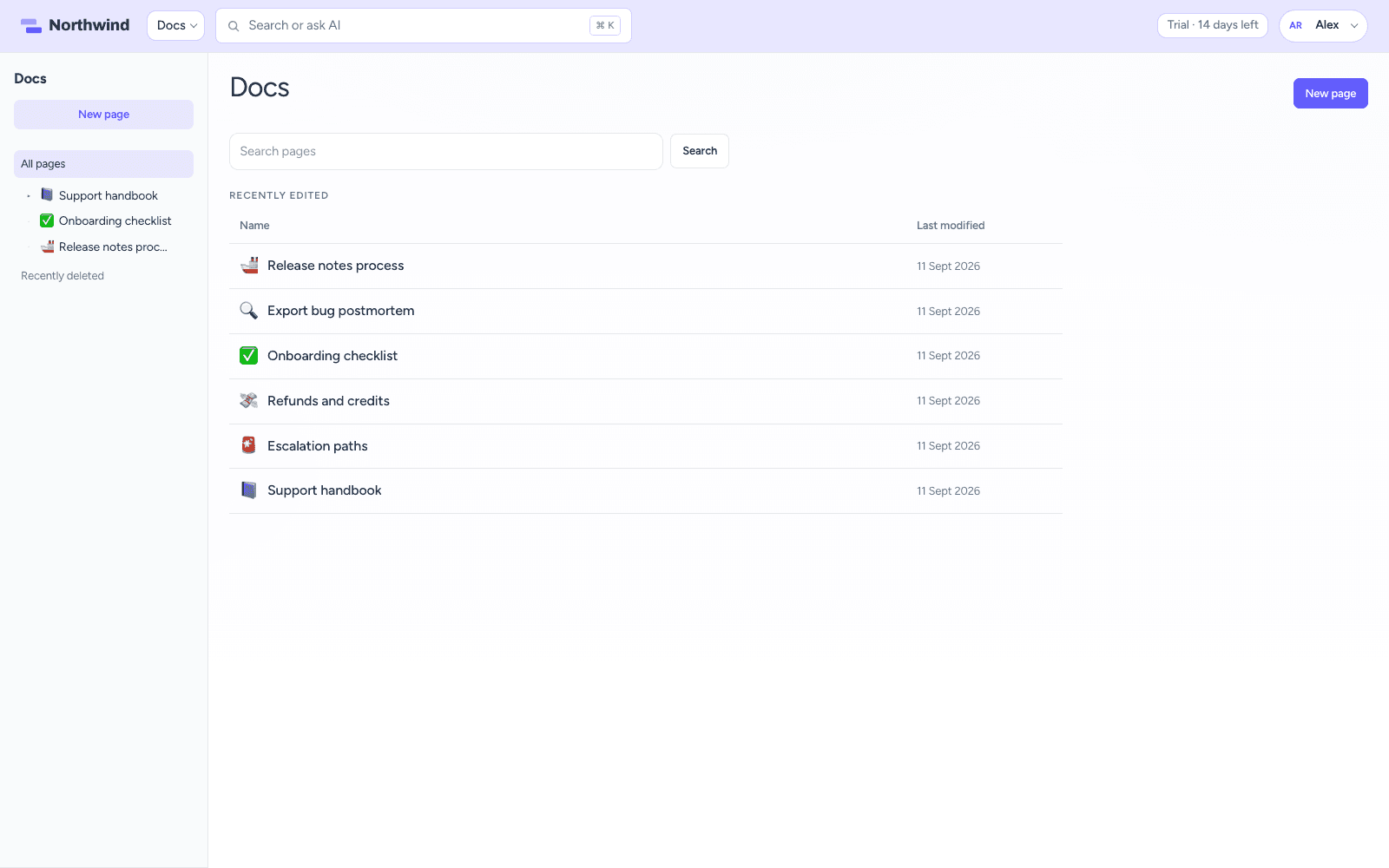
Docs home with search and recently edited pages

Organising

Nest as deep as you need

Pages nest under pages, with breadcrumbs back up the tree and search across titles and body text. Recently edited pages sit on the Docs home. Delete a page and restore it from Recently deleted for as long as your retention window allows.

  • Search across titles and body text
  • Recently edited on the Docs home
  • Restore deleted pages
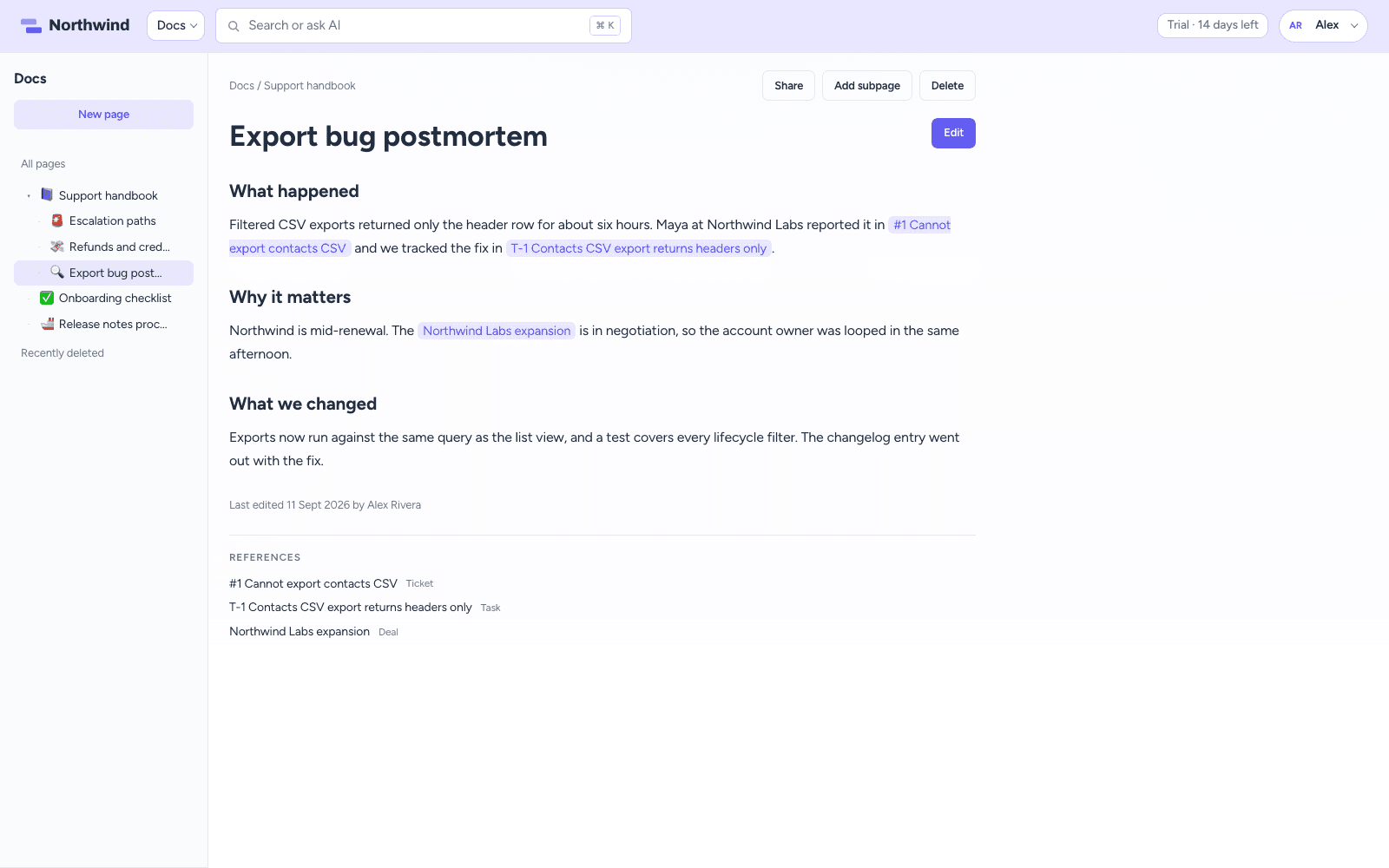
A doc page with live mentions of a ticket, task, and deal and a References list

Sharing & connected

Mention the ticket, the deal, or the customer

A page can mention a ticket, contact, company, deal, task, or another page, and the title resolves live, so links never go stale. References list what a page points at, and Linked from shows what points back. Pages are open to the workspace or restricted to the people you add, with full access, edit, or view per teammate.

  • Live mentions across CrowdStack
  • References and Linked from on every page
  • Restricted pages stay out of search

The full list

Everything included in Docs

Writing

  • Rich text editor with headings, lists, quotes, and code blocks
  • Press / for commands, no formatting toolbar to hunt through
  • Tables with resizable columns
  • Saves as you write
  • See who edited a page last, and when

Organising

  • Nested pages and subpages, as deep as you need
  • Search across page titles and body text
  • Recently edited pages on the Docs home
  • Delete a page, then restore it from Recently deleted
  • Deleted pages kept for a retention window you choose

Sharing & permissions

  • Workspace pages everyone can read, or restricted to people you add
  • Full access, can edit, or can view, per teammate
  • A default visibility for new pages
  • Who can create and manage pages is set per role
  • Restricted pages stay out of search for everyone else

Connected to the rest of CrowdStack

  • Mention a ticket, contact, company, deal, task, or another page
  • Mentioned titles resolve live, so links never go stale
  • References list what a page points at
  • Linked from shows what points back at it

One workspace

Works with the rest of CrowdStack

Every product shares the same contacts, so a ticket, deal, task, request, or page can point at the same customer.

Try Docs with the full suite.

Six products, one login, one bill. Free for 14 days, no card required.