Revenue

Stripe subscription metrics you can read at a glance.

Stripe subscriptions synced into MRR, churn, and customer metrics on the contacts your team already uses.

Available on the Stripe App Marketplace

Replaces Baremetrics, ChartMogul, and ProfitWell.

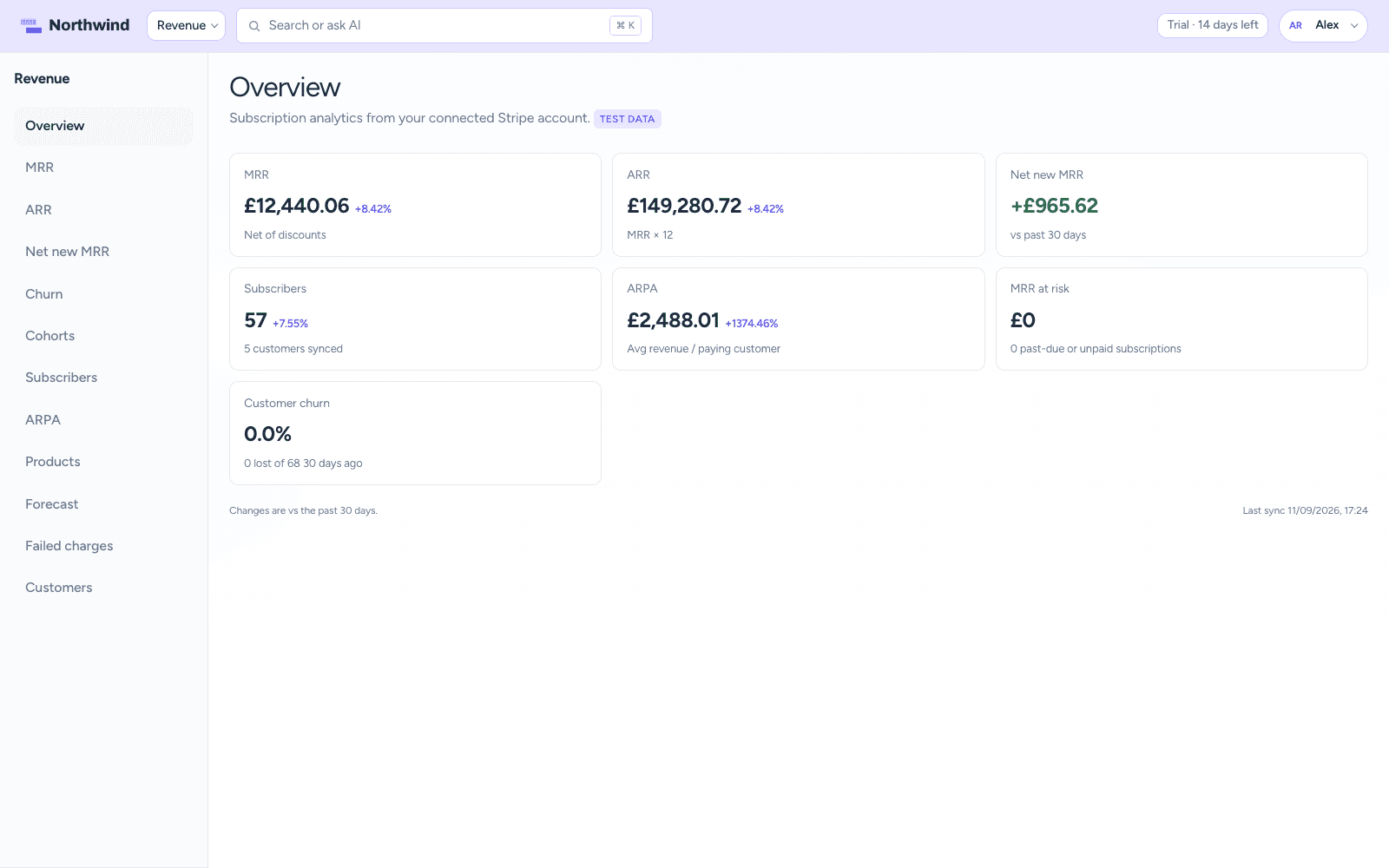
CrowdStack Revenue overview with MRR trend

How it works

What Revenue does for your team

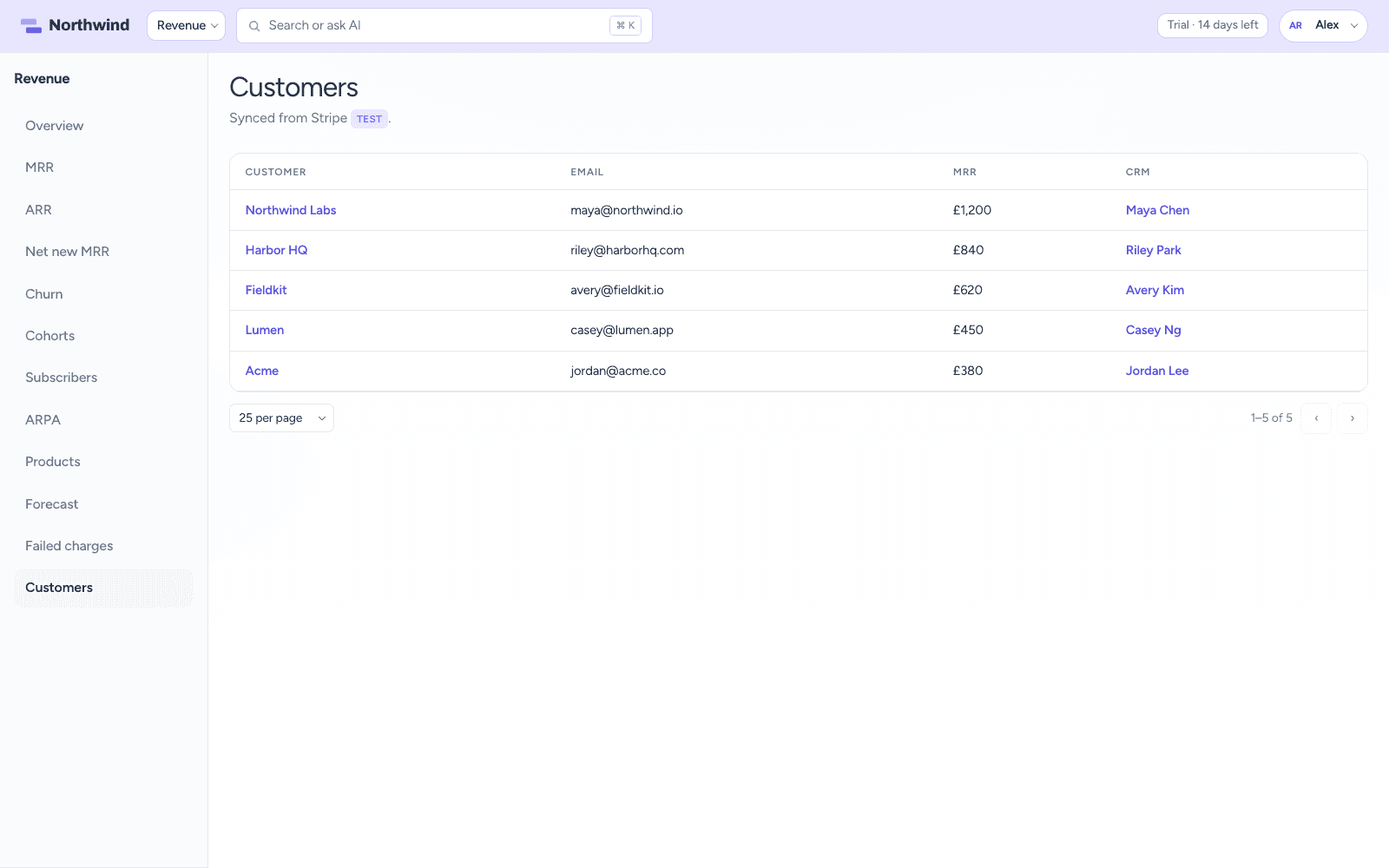
Revenue customers list synced from Stripe with MRR and linked CRM contacts

Stripe sync

Connect Stripe, then read your numbers

Connect your Stripe account and subscriptions and invoices sync every few hours, or on demand. Customers are matched to CRM contacts, so a revenue summary shows up on contacts, companies, and tickets. Test mode lets you try it safely, and disconnecting removes the synced data.

  • MRR, ARR, ARPA, net-new MRR, subscribers, and churn
  • Line or bar charts with custom date ranges
  • Month-by-month tables under every chart
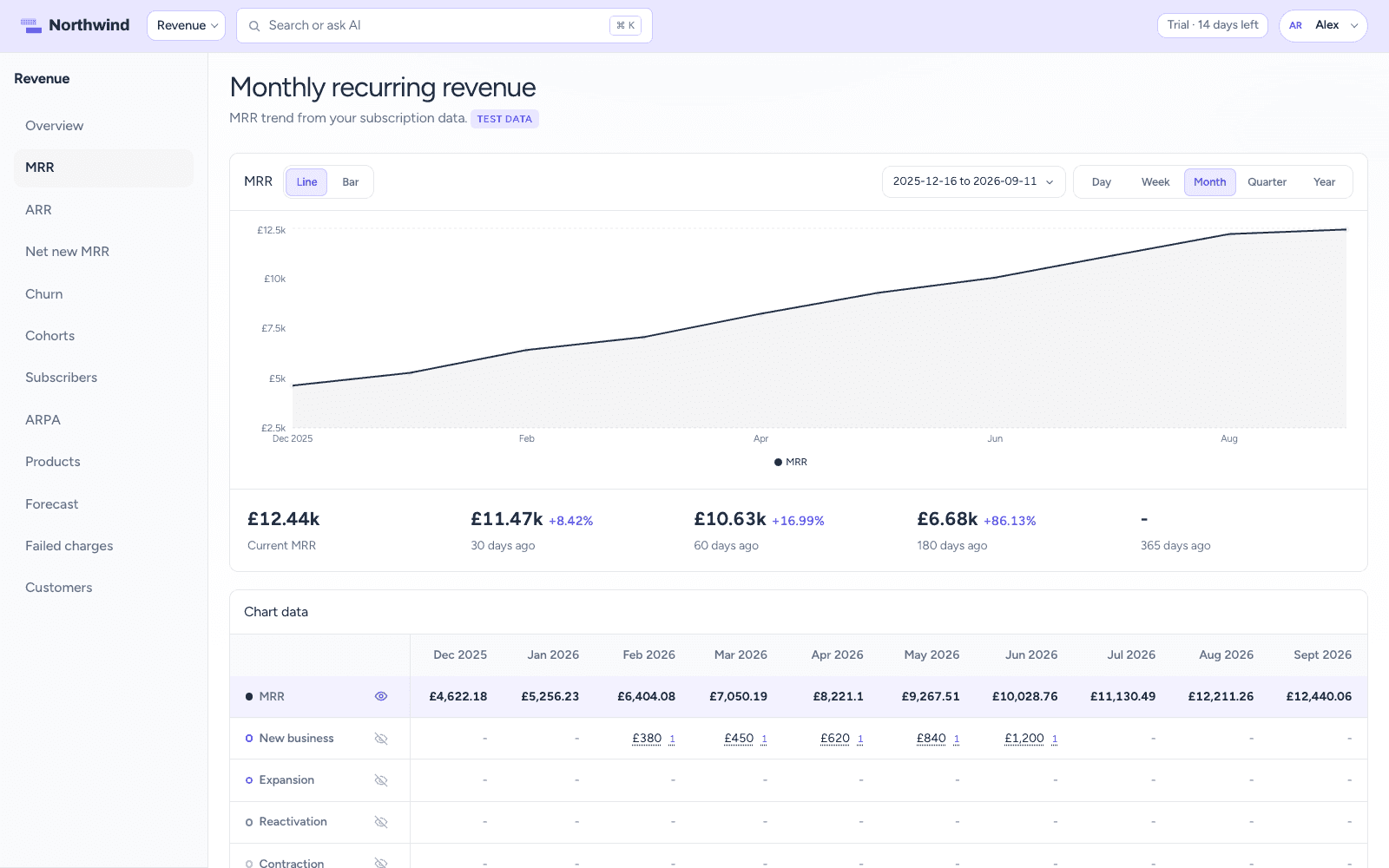
MRR chart with monthly movements broken into new business, expansion, contraction, churn, and reactivation

Movements

See who is behind every change

Each month breaks down into new business, expansion, contraction, churn, and reactivation. Click any month to see the customers behind the movement, or slice MRR by product and plan. Churn recognition and trial handling are settings you choose, not assumptions we make.

  • Customer pages with MRR history, subscriptions, and invoices
  • Total spent from synced invoices
  • Jump to Stripe or the CRM contact
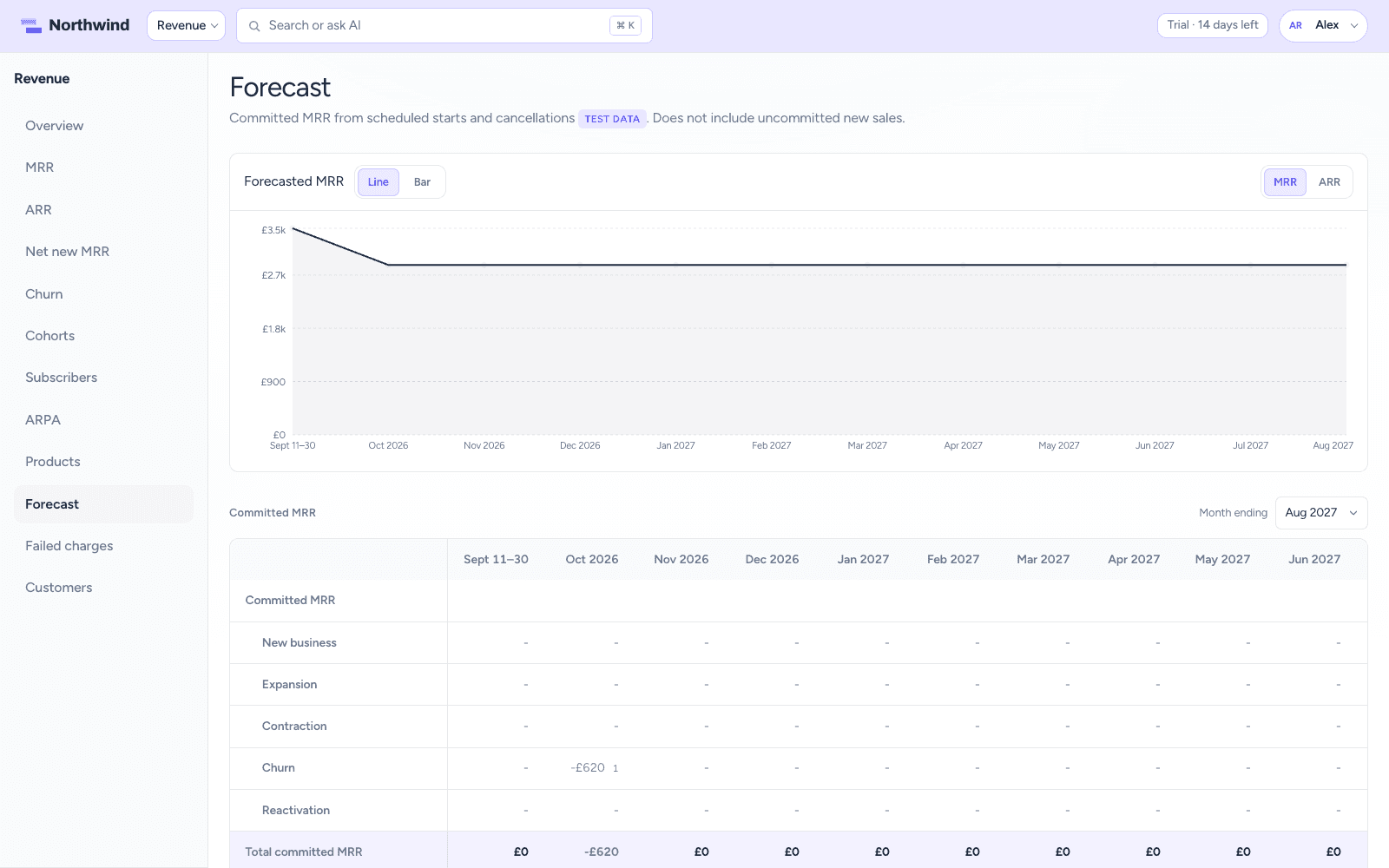
Forecast page with committed MRR chart and a month-by-month movement table

Forecast & AI

Know next quarter before it arrives

Committed MRR and ARR come from the starts and cancellations already scheduled in Stripe, up to 24 months out, with a movement breakdown and an activity list for every month. A churn risk agent scores active subscriptions on cancellations, failed payments, support load, and CSAT, then proposes a check-in task for the account owner. It never touches the subscription.

  • Pick the month ending, up to 24 months out
  • Who starts and cancels, and when
  • Churn risk review on the credits in every seat

The full list

Everything included in Revenue

Stripe sync

  • Connect your Stripe account
  • Sync every few hours or on demand
  • Subscriptions and invoices synced
  • Match customers to CRM contacts

Reporting

  • MRR, ARR, ARPA, net-new MRR, subscribers, and churn
  • Monthly movements: new business, expansion, contraction, churn, and reactivation
  • Click any month to see the customers behind the change
  • MRR by product and plan
  • Line or bar charts with custom date ranges
  • Month-by-month data tables under every chart
  • Churn recognition and trial handling settings
  • Revenue summary on contacts, companies, and tickets

Forecast

  • Committed MRR and ARR from scheduled starts and cancellations
  • Movement breakdown for every forecast month
  • Pick the month ending, up to 24 months out
  • Activity list of who starts and cancels, and when

Customers

  • Customer list with plan and MRR
  • Customer pages with MRR history, subscriptions, and invoices
  • Total spent from synced invoices
  • Jump to Stripe or the CRM contact

AI agents

  • Churn risk review scores active subscriptions on cancellations, failed payments, support load, and CSAT
  • Proposes a check-in task for the account owner; it never touches the subscription

One workspace

Works with the rest of CrowdStack

Every product shares the same contacts, so a ticket, deal, task, request, or page can point at the same customer.

Try Revenue with the full suite.

Six products, one login, one bill. Free for 14 days, no card required.